
Adding Ella Box
Once the Ella box is powered and plugged into the network go to www.SmartElla.com and go under the customer's account. Under the customer's account select the customer's email in the top right and go to "Boxes". Select "Register a box" and put the Mac Adress that is printed on the Ella box along with the name of the box. It will search for the box and show it online.

Adding Cameras to Ella
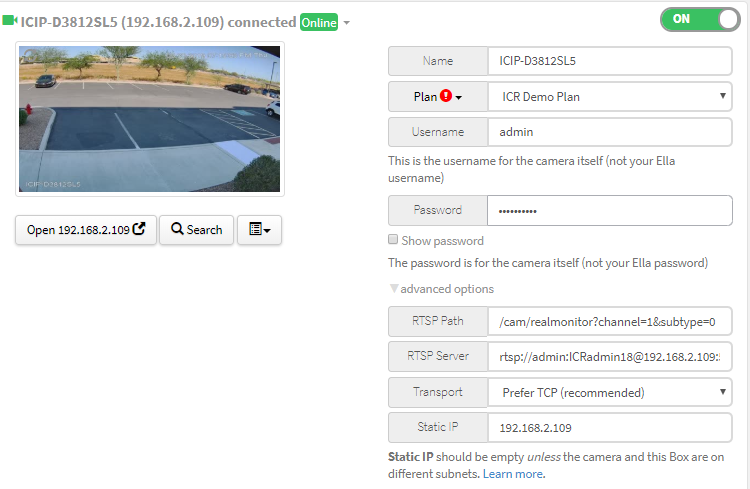
Under the Boxes page, select the scan option and search your network for devices. After it will display boxes with "No Signal" in them. On the first box select Advanced Options and put the username and password of the device in their proper fields.
If using ICRealtime products you would use our RTSP string to get the video feed. The RTSP Server being rtsp://admin:admin@192.168.1.85:554 and RTSP path being /cam/realmonitor?channel=1&subtype=0. If you are using another company's Cameras/Recorder then you would find out their RTSP string and input the proper path. After filling out the RTSP string put the static IP in the proper field, turn the device on and save it below. After a little, the camera will come online and will display a picture.
Comments
0 comments
Please sign in to leave a comment.